Best AI Apps to Learn English in 2026
 Yurii Rebryk · Updated August 28, 2026 · 10 min read
There is no single best AI app to learn English. The right pick depends on the skill the AI is supposed to train.
Based on our head-to-head checks: Fluently is the strongest choice for spoken English at work, ELSA Speak for drilling pronunciation sound by sound, Praktika for nervous beginners, Loora for coach-style conversation, and Duolingo for a free daily habit. ChatGPT is a useful study companion, not a tutor. Below: how AI tutors differ from classic apps, a comparison table, and honest mini-reviews, including of our own app.
In this article
- What makes an AI tutor different from a classic language app
- ChatGPT for learning English: what it can do and where it stops
- The best AI apps to learn English at a glance
- Fluently: an AI English tutor for spoken English at work
- ELSA Speak: pronunciation drilling, sound by sound
- Praktika: avatar role-play for the first steps
- Loora: coach-style conversation with a career angle
- Speak: the biggest brand in AI speaking practice
- TalkPal: dozens of languages under one AI
- Duolingo and Duolingo Max: habit first, AI second
- Which AI app fits you
Full disclosure before anything else: Fluently is our product. I founded the company and still build it, which is exactly why every other app in this guide keeps at least one category where it beats us.
For each app we checked the same four things; where we could not verify a figure, we say so instead of guessing:
- What its AI actually trains: pronunciation, conversation, vocabulary — or just engagement
- Platforms: which ones it really runs on
- Price: public pricing where it exists, with the date we checked it
- Free tier: what it genuinely includes
What makes an AI tutor different from a classic language app
Classic language apps are recognition machines. Flashcards, matching pairs, tap-the-right-answer: they test whether you can pick the correct form from options on a screen. That builds vocabulary and reading, and it quietly skips the hard skill, which is producing English yourself, out loud, under time pressure.
An AI tutor flips the direction. Instead of choosing answers, you generate them: you speak or write, the model responds, and the feedback lands on your own sentences rather than on a preset exercise. Three things follow.
- Conversation is open-ended: you can practise your actual situations, from a standup to a salary talk.
- Correction is personal: the app reacts to the mistakes you really make, not the ones a course author predicted.
- Repetition is unlimited: an AI tutor will run the same interview question with you for the ninth time at 11 p.m. without a flicker of impatience.
What AI tutors still do not deliver is what a good human teacher does around the conversation: diagnosing why you plateau, building a curriculum for your gaps, and holding you accountable week after week.
And since nearly every language app in 2026 calls itself AI-powered, the useful question is not “AI or not”. It is: what does this AI actually train — pronunciation, conversation, vocabulary, or just engagement?
ChatGPT for learning English: what it can do and where it stops
Do you need a dedicated app at all when ChatGPT is free? The honest answer has two halves. What ChatGPT does well:
- Grammar in plain language: it explains rules and answers the follow-up questions a textbook never anticipates.
- Writing: it corrects and rewrites your emails and essays.
- Materials on demand: dialogues, vocabulary lists and exercises for any topic at any level you ask for.
- Text role-play: it will play a job interview or a difficult customer with real patience.
As a free companion for reading, writing and understanding English, it is genuinely hard to beat.
Where it stops: ChatGPT is a general assistant, not a tutor, and the gap shows in four places.
- No structured pronunciation feedback: you can talk with it in voice mode, but it will not tell you which sounds you consistently miss or score how clearly you speak.
- No curriculum, no real progress tracking: every session starts wherever your prompt happens to point.
- Correction only on request: it corrects you when you remember to ask, and it tends to be agreeable rather than exacting.
- Prompting is a skill of its own: the quality of your practice depends heavily on how well you prompt.
Use ChatGPT as the explanation-and-writing layer of your routine, and pick a purpose-built app for speaking.
The best AI apps to learn English at a glance
Eight AI tools side by side. Prices appear only where they are public and we could check them; everything else says so.
| App | Best for | Platforms | Price | Free tier |
|---|---|---|---|---|
| Fluently | Spoken English for work: meetings, interviews, presentations | iOS, Android | Subscription with a free trial; pricing in app | Free tier to test the feedback |
| ELSA Speak | Pronunciation drilling, sound by sound | iOS, Android | About $20–25/mo for Premium (checked Jul 2026) | Yes, heavily limited |
| Loora | Coach-style free-form conversation | iOS; Android limited per public listings | About $119.99/yr per public reviews (checked Jul 2026) | Trial; details vary by platform |
| Praktika | Avatar role-play for beginners; multiple languages | iOS, Android per listings | Not verified; pricing in app | Not verified; check the listing |
| Speak | Mainstream conversation practice; the biggest brand | See store listing | Not verified; pricing in app | Not verified |
| TalkPal | Dozens of languages under one AI tutor | See its listing | Not verified | Not verified |
| Duolingo / Duolingo Max | Free vocabulary habit; AI extras in Max | iOS, Android, web | Free with ads; paid tiers incl. Max | Yes, the most usable one here |
| ChatGPT | Grammar explanations, writing, text role-play | Web, iOS, Android | Free tier; paid plans | Yes |
Fluently: an AI English tutor for spoken English at work
If the English you need is spoken — meetings, interviews, presentations — Fluently is the strongest pick on this list. Sessions are voice conversations: you talk, the AI tutor answers and asks follow-up questions, and when you stall mid-sentence it suggests what to say next instead of letting the conversation die.
- Feedback: arrives after the session rather than as interruptions — which sounds you mispronounced, where your grammar slipped, and how a native speaker would have phrased the same thought, tied to the exact sentences you said.
- Progress: your level is scored across pronunciation, fluency, vocabulary and grammar, so it is measured rather than assumed.
- Work focus: role-plays for standups, presentations, negotiations and difficult conversations, mock job interviews for your industry, and a Workplace English course of 10 modules, alongside speaking games and streaks.
- Track record: 4.8 on the App Store from 5.5K ratings and 4.8 on Trustpilot from about 2,100 reviews (August 2026); the company went through Y Combinator in 2024.
- Platforms: iOS and Android, with the interface in English, Japanese, Portuguese, Spanish and Korean.
- Cons, since this is our app: no phoneme-by-phoneme drill mode — if one stubborn sound is your whole problem, ELSA Speak is the sharper tool; free-form conversation assumes you can already produce basic sentences, so absolute beginners should start elsewhere; the tutor speaks with an American accent only; practice lives in the mobile app rather than a browser, and pricing appears in the app, not on a public price list.
To judge the feedback loop before paying anything, see what is free in Fluently, and our guide to English speaking practice shows what a working weekly routine looks like around any speaking app.
ELSA Speak: pronunciation drilling, sound by sound
For pronunciation, ELSA Speak beats every app here, ours included. Its feedback works at the level of individual sounds: the app highlights each phoneme you miss and hands you a drill for exactly that sound, backed by a library of thousands of exercises.
- Pros: the ELSA AI dialogue mode and a separate Speech Analyzer extend the feedback to longer stretches of speech; the interface is localised in many languages, which makes it one of the easier apps for beginners to navigate.
- Price: public — about $20–25 per month for Premium (checked July 2026), with annual plans lowering the effective rate. A free version exists but is limited enough that regular practice effectively requires Premium.
- Cons: built around drills rather than conversation — even the dialogue mode feels like an exercise, so it will not rehearse a real meeting with you. Reviewers on Trustpilot also report auto-renewal and cancellation complaints, so read the subscription terms before entering a card.
- Best for: the diagnosis “people don’t understand my sounds”, not “I go quiet in meetings”.
Praktika: avatar role-play for the first steps
For learners who freeze when it is time to speak, Praktika is the gentlest way in. Lessons run as role-plays with animated AI avatars, with US and UK accent options per public info, guided and adapted to your level: ordering from a barista, chatting with a colleague.
- Pros: the gamified structure makes early sessions feel like a game rather than a test, and Praktika teaches several languages, not only English.
- Platforms and price: iOS and Android per the store listings; we did not verify current pricing or free-tier terms, so check the listing.
- Cons: a teacher’s review on Medium scored the generated dialogue 6/10, criticising its word choice, and the guided format starts to feel tight once you can hold a real conversation.
- Best for: an on-ramp — start here, then move to a conversation-first app.
Loora: coach-style conversation with a career angle
If what you want is the feel of a session with a personal coach, Loora is the pick. It runs open, free-form conversations with one consistent AI coach around career scenarios such as meetings, presentations and interviews, with feedback on grammar, pronunciation and fluency.
- Pros: the format is judgment-free and continuous — sessions resume like an ongoing relationship instead of resetting, which suits people burned out on streak-driven apps.
- Price: about $119.99 per year by public reviews (checked July 2026).
- Cons, per user reviews: one tutor voice and persona with no accent choice, an English-only interface, and iOS first, with Android availability limited per public listings. The coaching is also not tied to your specific job the way scenario prompts in Fluently are.
Speak: the biggest brand in AI speaking practice
Speak is the most-searched app name in this category, an AI speaking-practice heavyweight that is especially popular in Korea and Japan.
- Pros: scale — no other AI English app is looked up more often, and popularity on that level is social proof of its own.
- Not verified: we have not run it head-to-head against the apps above for this article, so we will not score its feedback quality here; check the store listing for current features and pricing.
- Best for: general conversation practice rather than work-specific scenarios — it belongs on your shortlist.
TalkPal: dozens of languages under one AI
TalkPal is the breadth play: an AI language tutor covering dozens of languages, English among them.
- Pros: if you are keeping up Spanish while fixing your English, that breadth is an advantage no specialised English app matches.
- Cons: the flip side is the same breadth — in our view, English-specific speech feedback is where the dedicated apps in this guide go deeper, and depth is what moves spoken fluency.
- Not verified: TalkPal’s pricing and free-tier terms; check its listing before subscribing.
Duolingo and Duolingo Max: habit first, AI second
Duolingo answers a different question. As a free daily habit for vocabulary and basic grammar it is the best-known tool on the planet, and the free tier, with ads and limits, is genuinely usable, which is more than most apps here can say.
- The AI layer: lives in Duolingo Max, the paid tier that adds AI-powered conversation and explanation features; we have not tested Max for this article, so treat its store description as the source.
- The structural limit: tap-and-listen exercises train recognition, and recognition is not speech — that does not change with the tier.
- Best for: the foundation layer — add a speaking-first app the day your goal becomes talking.
Our guide on how to improve English speaking explains why that jump matters.
Which AI app fits you
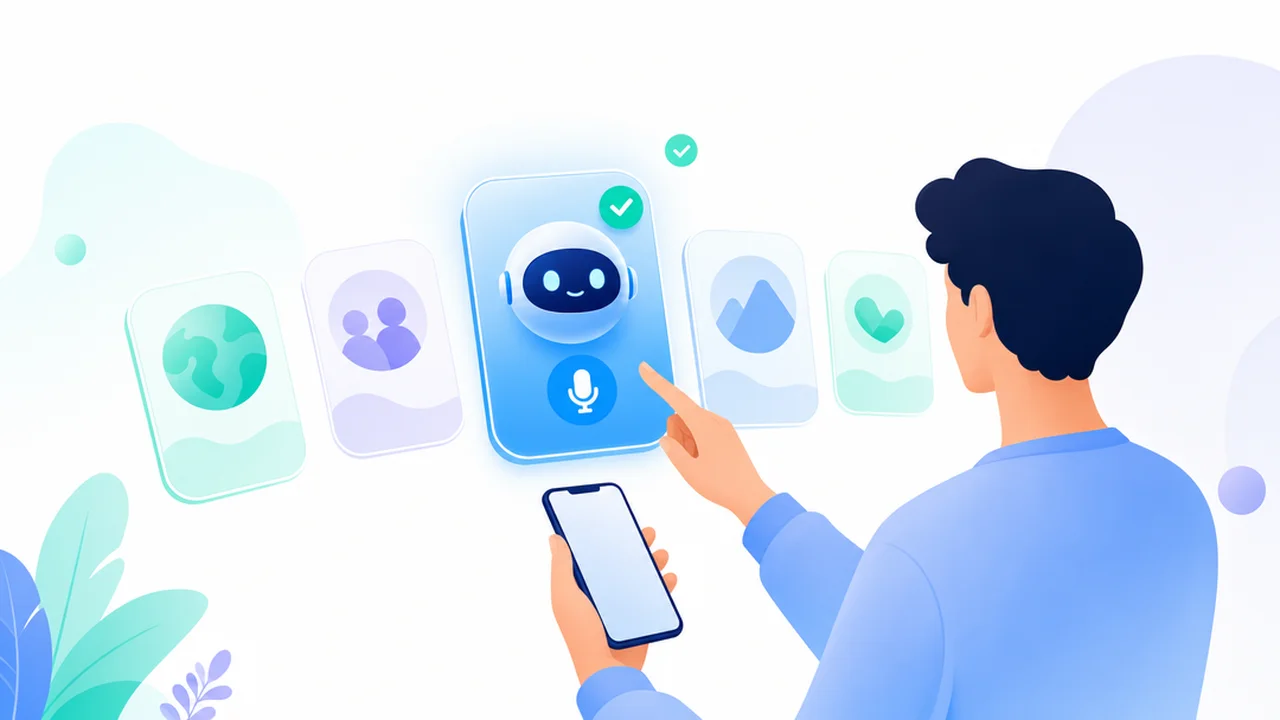
Pick by the skill that blocks you, not by the download charts.
- Meetings and interviews at work: Fluently
- An accent people struggle to understand: ELSA Speak
- Fear of speaking at all: Praktika
- Open coach-style conversation: Loora
- Mainstream general practice: Speak
- Several languages at once: TalkPal or Praktika
- A free daily habit and vocabulary: Duolingo
- Grammar explanations and writing help: ChatGPT, alongside any of the above
Two checks before you commit. If you are not sure of your level (most people guess one band too high or too low), the free English level test gives you a working answer in a few minutes. And if speaking is specifically what you are choosing an app for, our companion piece on the best apps for English speaking practice compares that narrower field in more depth.
Red flags worth taking seriously in any AI English app:
- A promised fluency date: “fluent in 30 days”.
- No trial or free test before payment.
- Renewal terms reviewers describe as hard to cancel.
Two minutes in recent store and Trustpilot reviews will tell you more than any landing page.
Hear AI feedback on your own English
Download Fluently, speak for a few minutes, and get feedback on your pronunciation, fluency, vocabulary and grammar from the first session. Free to start, so you can judge the feedback before paying for anything.